Category: Digital Forensics and Incident Response (DFIR).
Author: Connectors Team (wh1pl4sh).
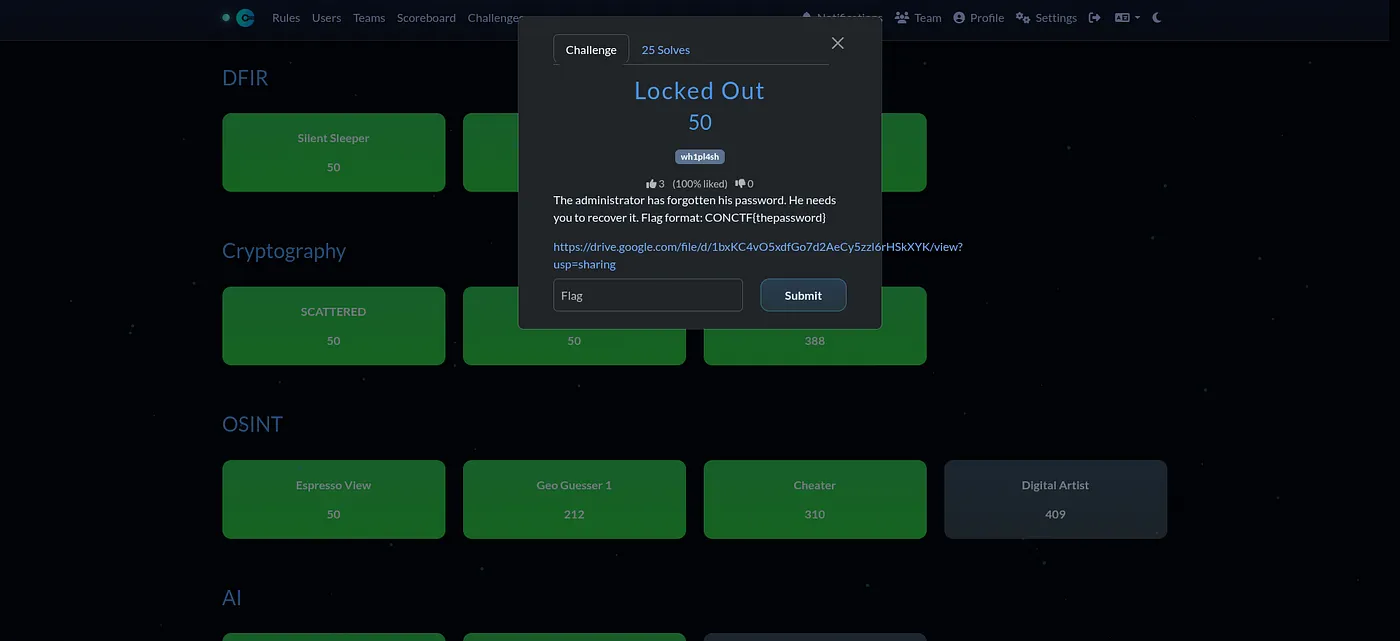
📖 Description
The administrator has forgotten his password. He needs you to recover it.Flag format: CONCTF{thepassword}.
🎯 Goal
Recover the administrator account password from the Windows C partition.
📂 Provided Files
C.zip— Windows C partition.
🕵️♂️ TL;DR (Summary)
I extracted the SAM and SYSTEM registry hives from the C Partition folder and used Impacket’s secretsdump.py to dump the local account hashes. To recover the plaintext password I cracked the NTLM hash using hashcat.
🔎 Step-by-step Walkthrough
Step 1 — Locate the SAM and SYSTEM files
After unzipping the C.zip partition dump, I navigated to the Windows registry hives located in:
C:/Windows/System32/config/Here I found two important files:
SAMSYSTEM
These contain the local user account information and the decryption key needed to extract password hashes.
Step 2 — Dump password hashes
I used secretsdump.py (Impacket) to extract the local SAM hashes offline:
python3 /usr/share/doc/python3-impacket/examples/secretsdump.py -sam SAM -system SYSTEM LOCAL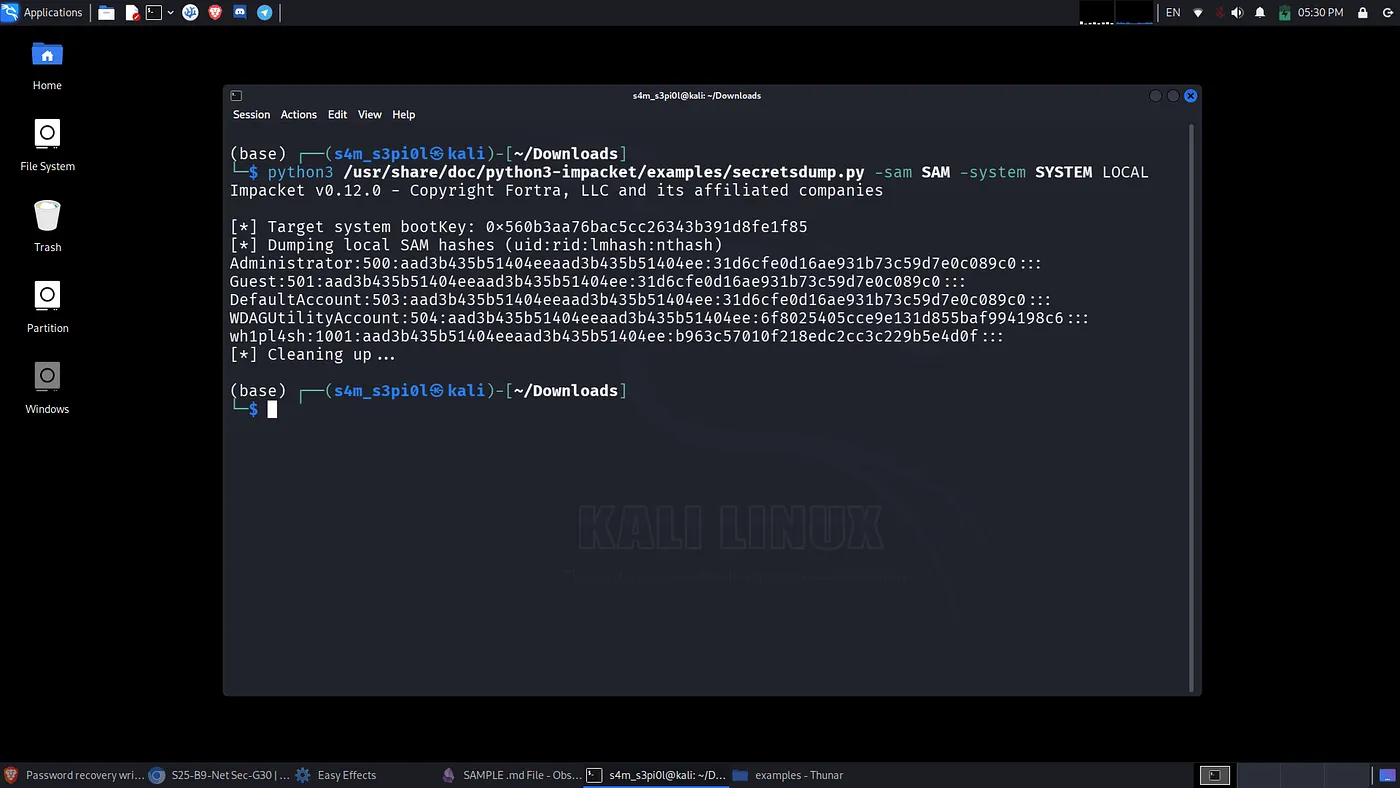
Result:
Impacket v0.12.0 - Copyright Fortra, LLC and its affiliated companies
[*] Target system bootKey: 0x560b3aa76bac5cc26343b391d8fe1f85
[*] Dumping local SAM hashes (uid:rid:lmhash:nthash)
Administrator:500:aad3b435b51404eeaad3b435b51404ee:31d6cfe0d16ae931b73c59d7e0c089c0:::
Guest:501:aad3b435b51404eeaad3b435b51404ee:31d6cfe0d16ae931b73c59d7e0c089c0:::
DefaultAccount:503:aad3b435b51404eeaad3b435b51404ee:31d6cfe0d16ae931b73c59d7e0c089c0:::
WDAGUtilityAccount:504:aad3b435b51404eeaad3b435b51404ee:6f8025405cce9e131d855baf994198c6:::
wh1pl4sh:1001:aad3b435b51404eeaad3b435b51404ee:b963c57010f218edc2cc3c229b5e4d0f:::
[*] Cleaning up...
Step 3 — Interpret the results
aad3b435b51404eeaad3b435b51404ee— standard placeholder LM value (LM not stored / legacy).31d6cfe0d16ae931b73c59d7e0c089c0— canonical MD4/NTLM value that indicates an empty password (or the tool couldn’t derive a real NTLM); in practice this usually means the account has no password.- Two accounts have non-empty NTLM hashes in the dump:
WDAGUtilityAccount— NTLM:6f8025405cce9e131d855baf994198c6wh1pl4sh— NTLM:b963c57010f218edc2cc3c229b5e4d0f
The wh1pl4sh account (RID 1001) is likely the meaningful user for this CTF — its NTLM hash should be cracked to recover the plaintext password (the flag). Use cracking tools to recover the password from that NTLM hash.
Step 4 — Cracking the NTLM hash
Hashcat (NTLM = mode 1000) Create a file with the NTLM hash (only the NTLM value is needed for hashcat):
echo "b963c57010f218edc2cc3c229b5e4d0f" > ntlm.txtCrack the hash using the rockyou.txt wordlist:
hashcat -m 1000 ntlm.txt /usr/share/wordlists/rockyou.txt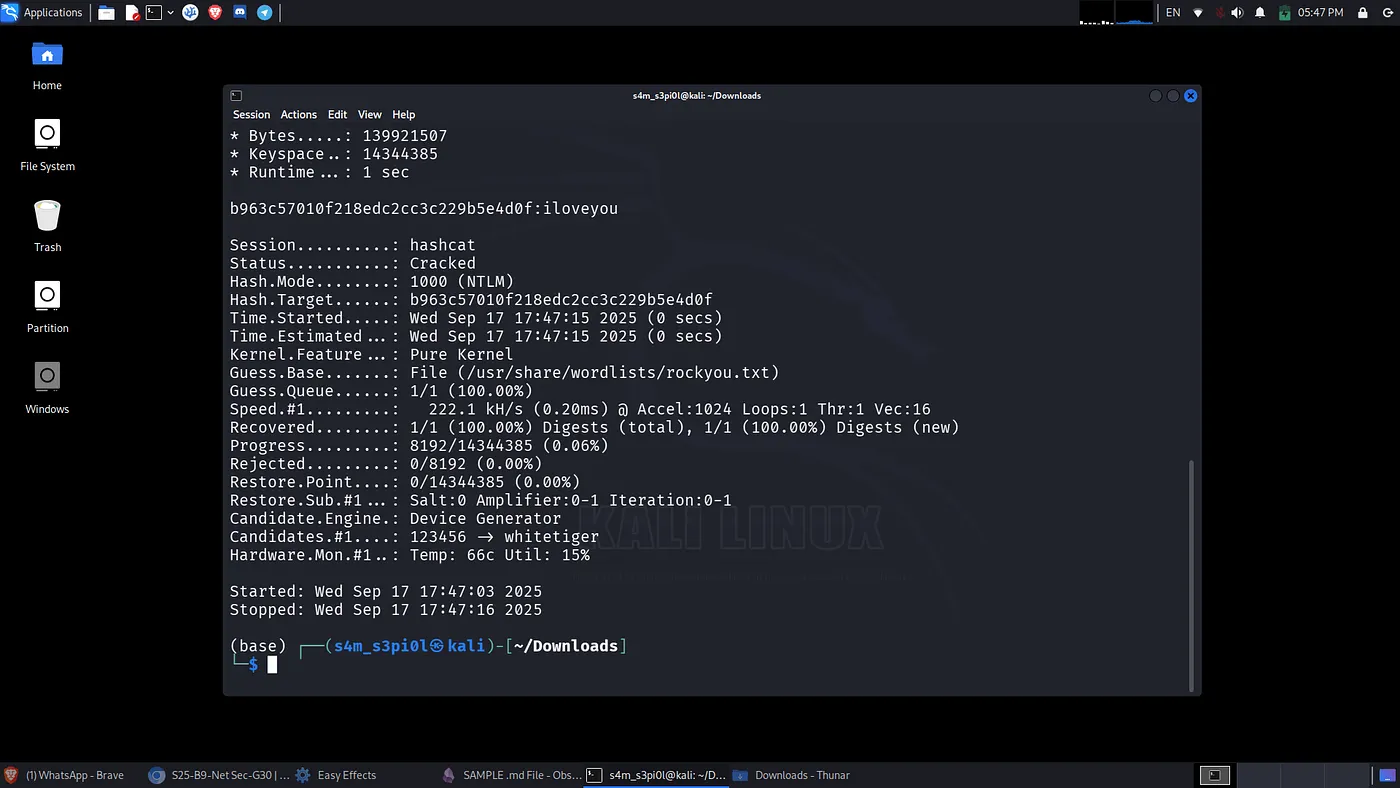
Password:
iloveyouStep 5 — Recovering the flag
Since we have recovered the password so here is the flag🥳✅:
CONCTF{iloveyou}🛠️ Tools Used
- Impacket
secretsdump.py(Impacket v0.12.0). - hashcat.
THANK YOU FOR READING!🫶